
In this week I started to create my game in Phaser, which started out well until I forgot to save my game to GitHub causing me to lose a lot of progress, but I can still talk about what code I used and how it helped.
Creating the foundations
Firstly, in the Phaser config I set the game window to be 800 pixels wide and 600 pixels tall, this would give the player a decently sized screen to play in and would allow me to later on create a camera that only shows part of the map. I also set the game’s gravity to 0 so that my character would not fall to the bottom of the screen.
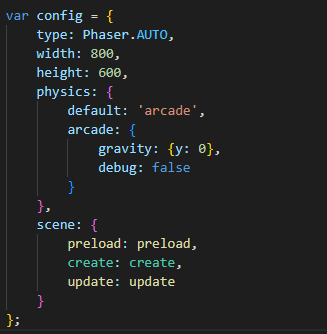
Now that I had a basic screen set up, I needed some sort of background to make up for space so I set it to some sort of concrete floor. Next I implemented the character with these to lines of code. (Rewritten lines after losing code)
this.load.spritesheet(‘playerWalk’, ‘assets/player_walk_strip6.png’, { frameWidth: 35, frameHeight: 57 } );
player = this.physics.add.sprite(10, 10, ‘playerWalk’);
The player could also move along the x and y axis using the arrow keys, the player would still be looking constantly to the right though as I was yet to animate that yet.
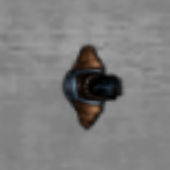
The player is loaded as a sprite sheet which allows them to have animation when moving, but I decided to leave that until later. Next I moved onto creating the crosshair for the player, this was a small sprite sheet as seen below which would constantly loop through the animation to give it style. This crosshair followed the mouse of the player by reading the cursors x and y coordinates, it would also lock the mouse into the game preventing the player from clicking outside the game area.

Combing the two features, I made it so that the player would face the mouse using trigonometry, this worked by grabbing the difference in their positions to figure out the adjacent and the opposite so that it could work out the rotation of the player.
Next week plans
Recover from my mistakes, rebuild the code and discuss it in this development blog, so next week I will be able to go in more detail about how the code works. In future I must be more careful and master version control so I don’t have to recode the game every time I work on it.
Other than recoding the game I want to implement an enemy or a firing system for the player to make the game more enjoyable, I also would like to get more familiar with writing in JavaScript as I found that I often missed out on syntax causing the game to not work. Another treatment for this issue would be to properly use the inspect element console to properly identify bugs and where they occur.