
In this week, we were introduced to Phaser, which is a JavaScript framework for creating games. We would be using Phaser to design and create a 2D game prototype for our course project.
Planning
I started out with planning what kind of game I wanted to make by going over games I have played before and looking at their gameplay mechanics. First game that came to mind was Hotline Miami which is a favourite of mine, the main idea I wanted to borrow from it though would be its camera placement and how it moves the character’s direction depending on your cursor placement.
Here is my trello board which shows what features the game must include (Left column), a list of overall game ideas with a winning idea (Middle column) and a list of ideas that I could implement into my game (Right column).
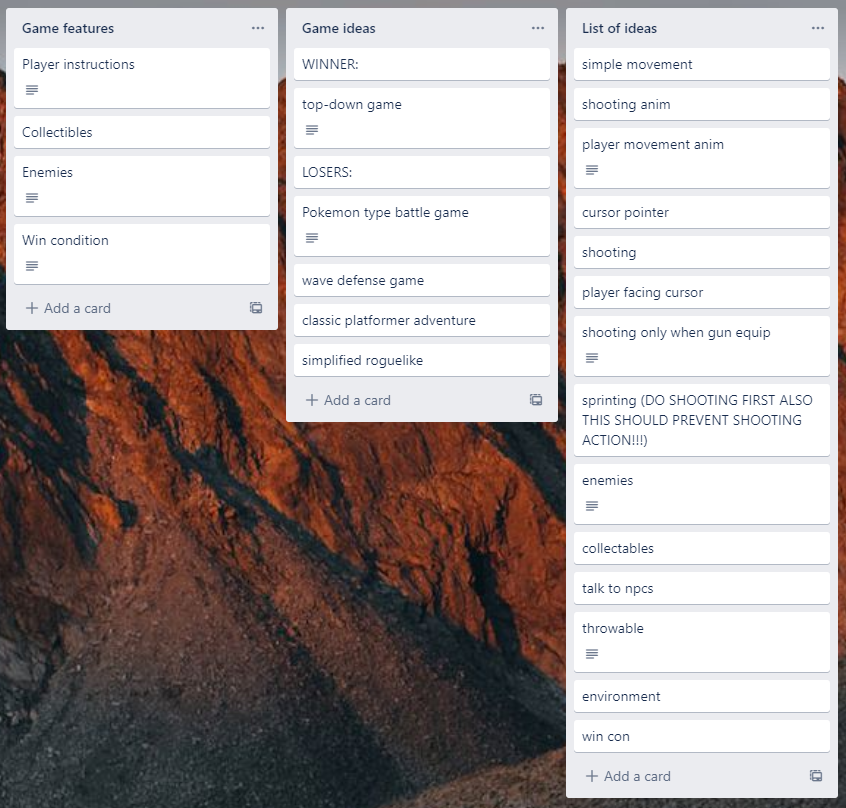
The game ideas that didn’t make were placed there due to me having a limited understanding of Phaser and JavaScript as a whole so I stuck with a broad game idea so that I could expand upon it how ever possible.
Learning JS Classes
We learnt about what a class is in JavaScript, this being a blueprint for creating objects in which you can call to it’s properties and methods it later parts of your code. This can be very useful as it saves you from rewriting old code and makes your code less messy.
In JavaScript, you can declare a class as shown below;
class Zombie{
zombie attributes
}
This will create a zombie class which can be called to in your code with the phrase “Zombie(class function)“. Every class needs to be constructed with a constructor function, This function accepts arguments to be inserted into the classes attributes as seen below;
class Zombie{
constructor(life, damage) {
this.life = life
this.damage = damage
}
}
let Jimmy = new Zombie(0, 0)
Plans for next week
Next week I plan on getting started with my Phaser game by creating some player functions using the knowledge I have mixed with some help from the Phaser API